
'%3e%3cpath%20d='M19.3359%2018.2109L14.7344%2013.6094C15.875%2012.2188%2016.5625%2010.4375%2016.5625%208.49609C16.5625%204.04297%2012.9492%200.429688%208.49609%200.429688C4.03906%200.429688%200.429688%204.04297%200.429688%208.49609C0.429688%2012.9492%204.03906%2016.5625%208.49609%2016.5625C10.4375%2016.5625%2012.2148%2015.8789%2013.6055%2014.7383L18.207%2019.3359C18.5195%2019.6484%2019.0234%2019.6484%2019.3359%2019.3359C19.6484%2019.0273%2019.6484%2018.5195%2019.3359%2018.2109ZM8.49609%2014.957C4.92969%2014.957%202.03125%2012.0586%202.03125%208.49609C2.03125%204.93359%204.92969%202.03125%208.49609%202.03125C12.0586%202.03125%2014.9609%204.93359%2014.9609%208.49609C14.9609%2012.0586%2012.0586%2014.957%208.49609%2014.957Z'%20fill='%23535B62'/%3e%3c/g%3e%3cdefs%3e%3cclipPath%20id='clip0_12799_29299'%3e%3crect%20width='20'%20height='20'%20fill='white'/%3e%3c/clipPath%3e%3c/defs%3e%3c/svg%3e)

How Cloud Based CAD Is Transforming Remote Engineering Workflows
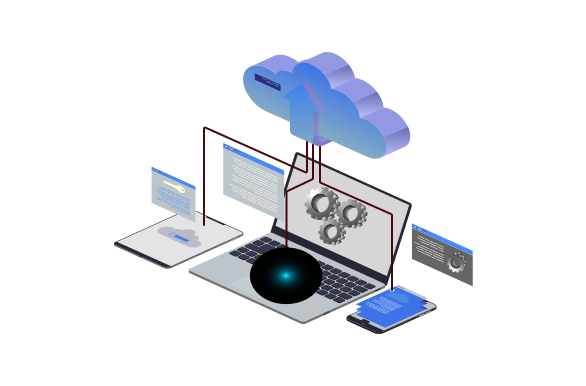
In today’s remote work environment, cloud-based CAD software is changing the way engineers design and collaborate. With teams often spread across different time zones, traditional CAD tools—limited by local installations and complicated licensing, are becoming less practical.
Online CAD platforms offer a better way. Since everything runs in the cloud, engineers can access their work from anywhere, collaborate in real time, and move through design projects more efficiently, without the usual technical roadblocks.
What Is Cloud-Based CAD?
Cloud-based CAD software is a browser-accessible design tool that allows you to create, edit, and manage 3D models from anywhere. It removes the need for installations or powerful hardware, since everything runs online. All you need is an internet connection and a browser to begin designing.
Unlike desktop-based CAD, cloud CAD eliminates version conflicts, manual file backups, and long software update cycles. It creates a more agile environment where teams can adapt quickly and collaborate seamlessly.
Benefits for Remote Engineering Teams
- Real-Time Collaboration
With cloud-based CAD, multiple users can work on the same model simultaneously. Whether you're reviewing changes, suggesting edits, or assembling components, collaboration happens in real time. No need to email files back and forth or deal with locked files.
- Anywhere Access
Whether you're working from a home office, a manufacturing floor, or another continent, cloud CAD lets you access your projects from any device. Engineers are no longer tied to a specific machine, making it easier to respond to design issues or customer feedback on the fly.
- Faster Design Cycles
Remote teams benefit from shorter design-to-prototype times. With cloud-based tools, changes can be implemented instantly, and everyone stays up-to-date with the latest version of the model. There’s no lag between revisions, and no confusion about which file is final.
- Built-in Libraries and Assets
Some cloud CAD platforms come with integrated part libraries that reduce the need to model from scratch. Ready-to-use components save time, improve accuracy, and standardize design elements across your team.
- Simplified IT and Maintenance
No more dealing with license servers, compatibility issues, or software updates. Cloud CAD is automatically updated, maintained, and secure. IT teams can spend less time managing software and more time supporting engineers.
HVH Designer: Your Browser-Based CAD Solution
Looking for a robust cloud CAD platform? HVH Designer ticks all the boxes for engineers and technical teams working remotely.
HVH Designer Features:
-
No downloads or installations – just open your browser and start working.
-
Fully parametric modeling – build detailed, editable 3D models with precision.
-
Real-time collaboration tools – invite your team and work together from anywhere.
-
Built-in 3D Parts Library – access thousands of certified components ready for use.
-
Drag & drop functionality – speed up design time with reusable parts.
-
Supplier integration – HVH Designer includes components from top manufacturers, saving you time on sourcing and procurement.
-
Compatible with major CAD platforms – export your designs to STEP, STL, and more.
Whether you're designing machinery, prototypes, or components, HVH Designer helps teams operate faster, smarter, and without the limits of legacy software.
Conclusion
Cloud-based CAD isn’t just a helpful option anymore—it’s quickly becoming the go-to choice for modern engineering teams. If you want to work more efficiently, collaborate easily, and keep your design process moving, tools like HVH Designer make it possible.
Looking to take your design work online? Give HVH Designer a try and see how much easier remote engineering can be.